
Text & subtitles
Text layers handle type inside the frame; subtitles handle dialogue and narration. Both warn about missing glyphs instead of silently dropping characters.
What it does
- Text layers: create one from the Text panel and edit copy, font and style in the Text FX tab of the dock.
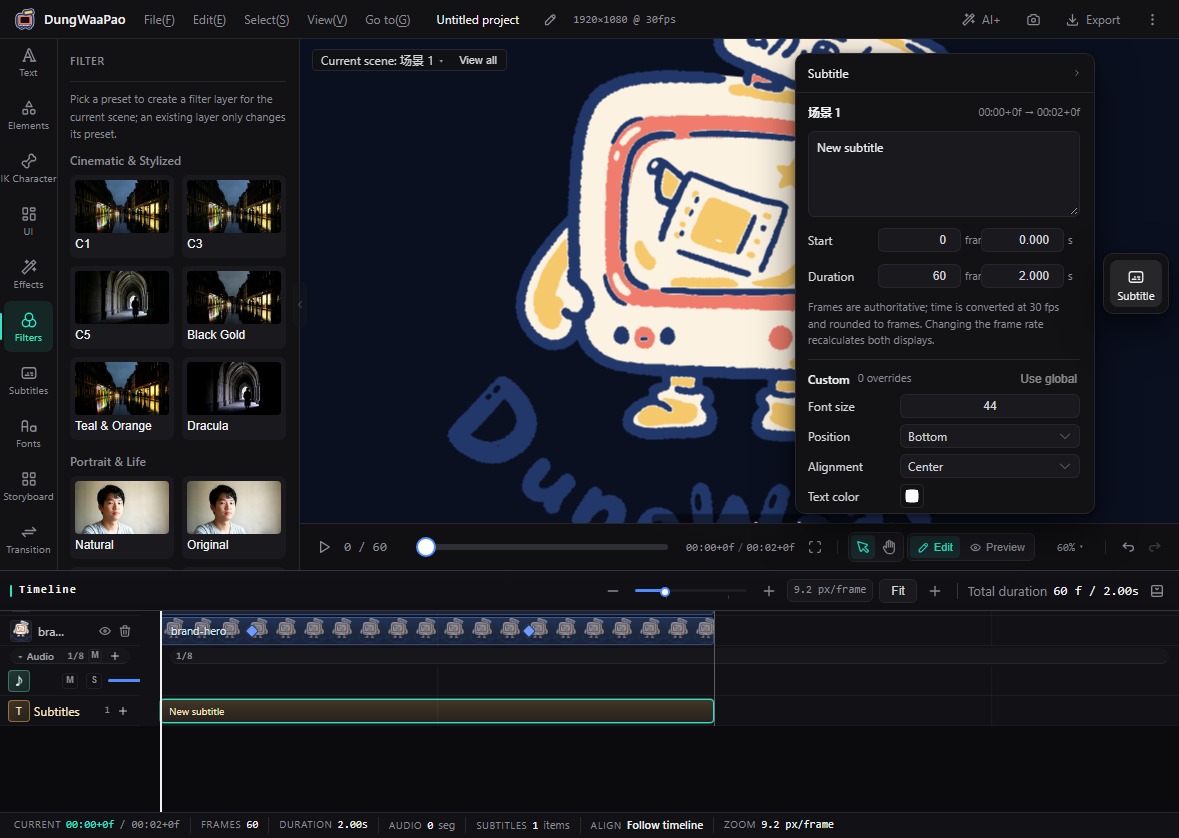
- Global subtitle style: set size, position, alignment, text color, stroke, background, safe area and line height once; every subtitle without an override follows it.
- Per-cue overrides: select a subtitle and override individual properties. Restore global puts it back under the shared style.
- Generate subtitles: TTS clips carry their script, so one click splits and aligns subtitles to the clip range.
- Font library: import static ttf / otf / woff2 files, up to 12 MB each, 4 fonts and 30 MB per project.
- Missing-glyph warnings: when the selected font lacks characters used in the copy, the panel lists them and notes that they fall back to the built-in font.
How to use
- Click New in the Text panel. The text layer starts at the playhead.
- Select the text layer, switch the dock to Text FX, and edit copy, font, size and color.
- Set the shared look in Subtitles on the left rail, then click + on the Subtitles timeline row to add a cue.
- Drag the subtitle bar to move it or trim its duration, then select it and override properties in the dock.
- For subtitles derived from a TTS clip, select the audio clip and click Generate subtitles to split it by script.
Missing glyphs are called out
When an imported font lacks characters, the text box lists the exact characters and explains that they fall back to the built-in font. The built-in font covers all common Chinese characters, so it does not trigger the warning.
Boundaries
- Subtitles in the same scene cannot overlap; new cues are truncated to the available gap.
- The UI editor currently exposes preset fonts only. User fonts will open up after missing-glyph checks are wired into that editor.
- Subtitle files can be exported as SRT or WebVTT without running a video render.
Next: AI voiceover & lip sync.